Enhancing Convenience and Cinema Efficiency
As part of my UX certification course, I independently designed a movie ticketing app aimed at solving the challenges of long queues and overbooked tickets at cinemas. The goal was to create a seamless digital experience where users can effortlessly browse showtimes, reserve seats, and purchase tickets.
Users frequently encountered the following issues when purchasing movie tickets:
- Long Ticketing Queues: Users had to wait in long lines, especially during blockbuster releases.
- Overbooked Tickets: Many users arrived at the cinema only to find their preferred movie fully booked.
- Missed Movie Schedules: Busy users often forgot about their movie bookings and showtimes.
Core Moviegoer Behavioral Drivers
- Efficiency Matters: Users want a fast and simple booking process with minimal steps.
- Personalization Improves Engagement: Reminders and tailored notifications increased user satisfaction and reduced missed showtimes.
- Search Optimization Enhances Usability: Filtering by movie title and showtime significantly improved navigation speed and confidence.
Streamlining the Booking Path
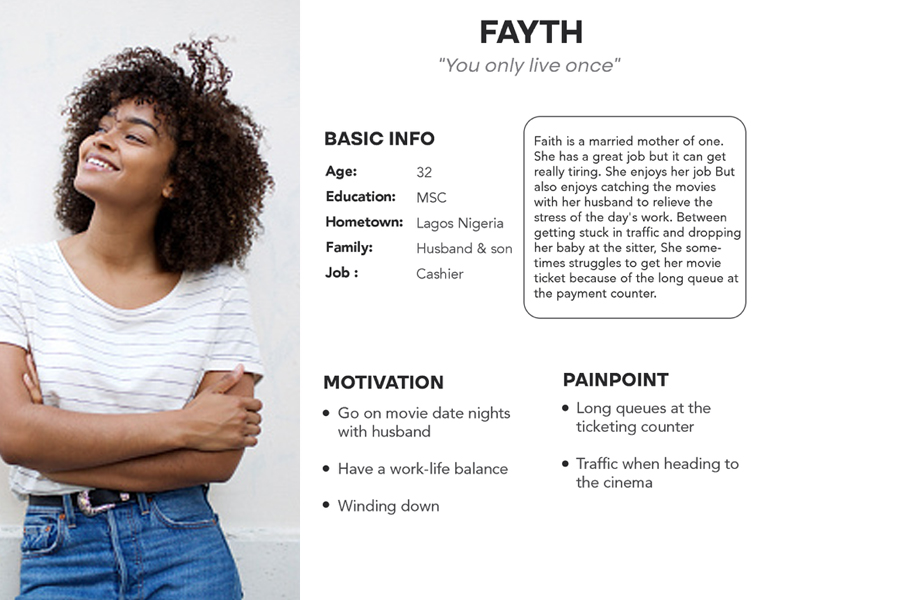
User Persona: To better understand user behavior, I conducted interviews with moviegoers and identified a key persona. This persona guided design decisions, ensuring the app provides a seamless ticket-booking experience that fits into a busy lifestyle.
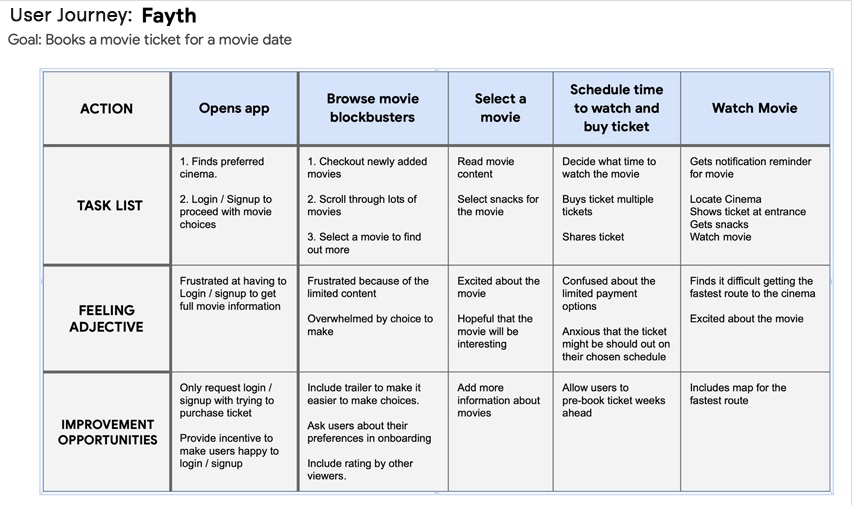
User Journey: With a focus on achieving a smooth booking experience, I created a current-state user journey map to identify inefficiencies. Key optimizations included removing two unnecessary steps in the checkout process to reduce friction and eliminate potential drop-off points.
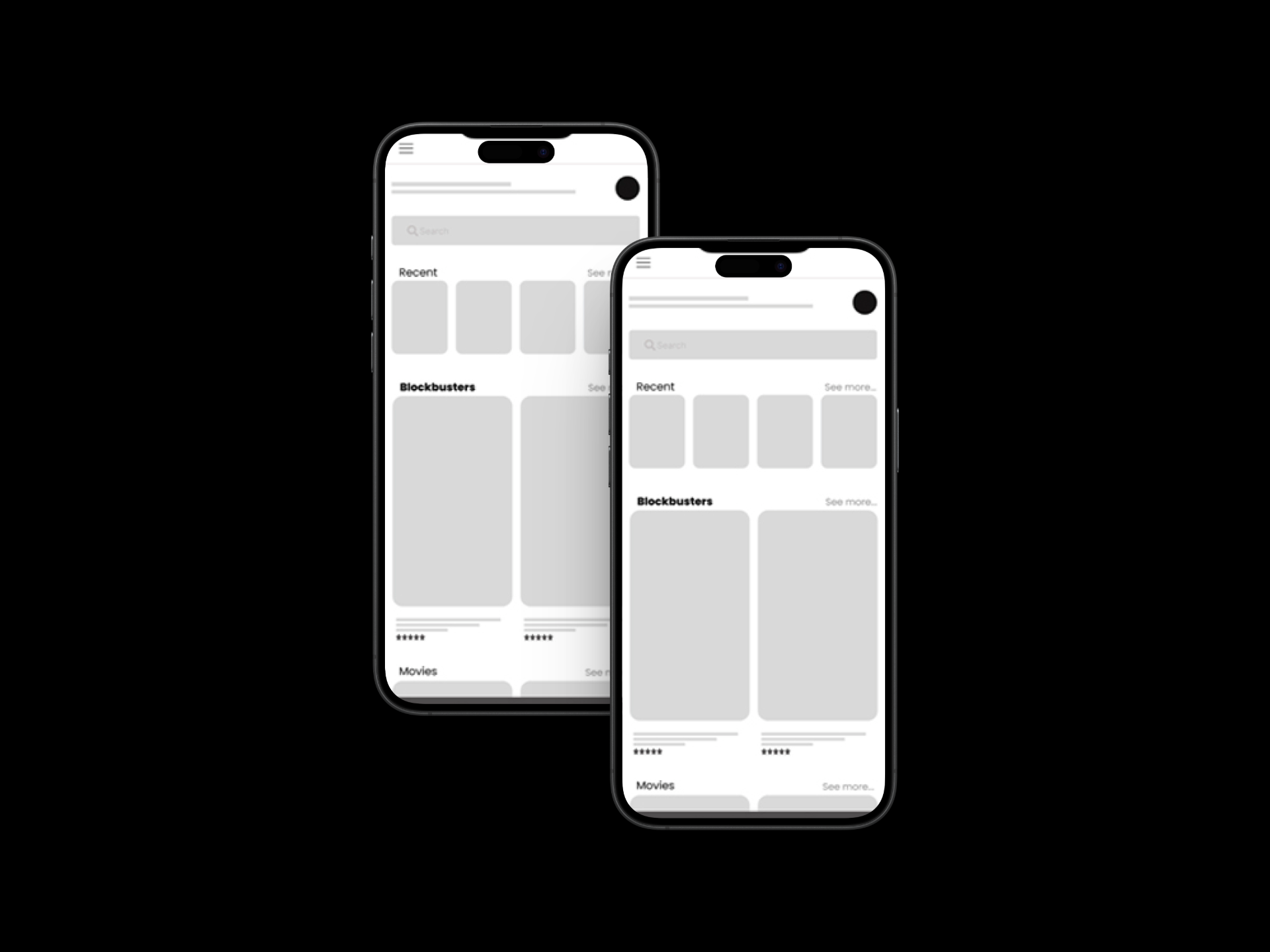
I began the design process with low-fidelity sketches and wireframes based on user interviews, business goals, and heuristic evaluations, maintaining focus on the project's primary objectives.
Interactive Seat Availability & Fast Checkout
To address cinema booking challenges, I designed an app that introduced:
- Online Ticket Booking: Users can reserve tickets from home or transit, eliminating physical queues.
- Real-time Seat Availability: Prevents overbooking by displaying current seating options and auditorium sightlines.
- Movie Reminders & Notifications: Users receive timely alerts for upcoming movies and booked showtimes.
Refining Through 3 Rounds of Testing
Wireframing and Prototyping: Using Figma, I translated my sketches into low-fidelity wireframes and gradually improved them for better clarity. After conducting three usability tests, I refined the design and created high-fidelity interactive prototypes.
Usability Testing and Iteration: After developing a functional high-fidelity prototype, I conducted usability tests with real moviegoers. The insights led to key improvements:
- Enhanced Search Options: Instead of a general search, I added a "Search by Title" and "Search by Time" feature, making it effortless to find target screenings.
- Clearer UI Design: Refined visuals, standardized seat colors (available, chosen, booked), and aligned typography with the brand identity.

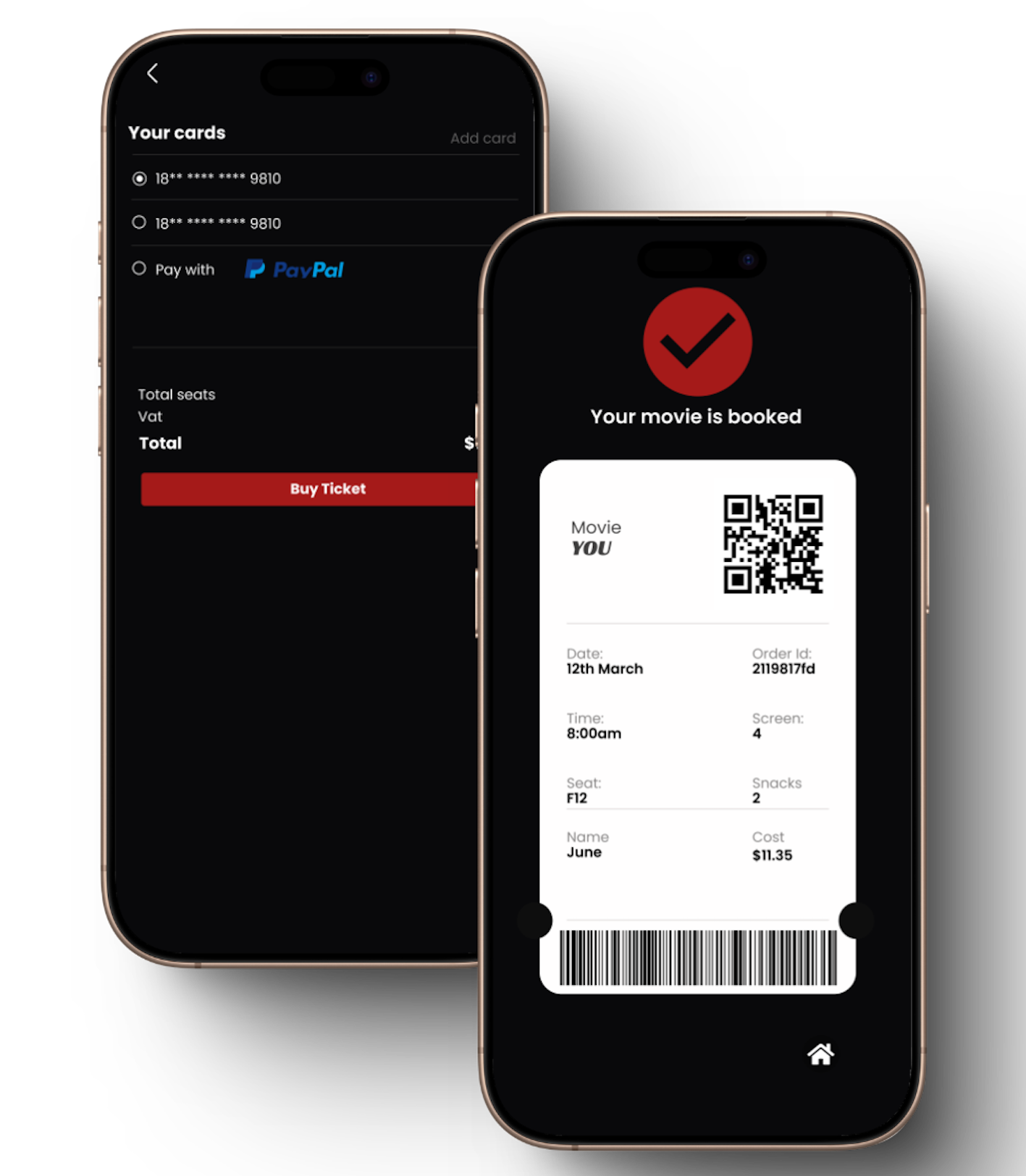
Connecting Digital Booking to Venue Arrival
Next Steps: To further enhance the experience, future iterations will introduce:
- Google Maps Integration: To help users find the fastest route to their cinema.
- Live Chat Support: For real-time assistance with bookings, exchanges, and inquiries.
- Movie Trailer Feature: Allowing users to preview high-definition trailers before booking.
- Concessions Pre-Ordering: Order popcorn and beverages for pickup upon arrival.
Conclusion: This project deepened my understanding of designing intuitive and efficient user experiences. By addressing key pain points and refining the booking process, I successfully bridged the gap between user needs and business objectives.